A home projector screen can cast visuals onto a wall, wall texture, color, and lighting conditions can reduce quality a dedicated projector screen ensures sharper images and better color accuracy.
Modern screens support 4K, Full HD, and 3D content for high quality entertainment. Foldable and portable models are easy to carry, install, and store, while electronic projector screens with remote controls let you raise or lower the screen effortlessly.
Buyers can choose from fixed frame, floor standing, pull down, and pull up home projector screen. Matte white and matte grey screen surfaces offer excellent viewing angles, improved contrast, and are anti crease, washable, and suited for both indoor and outdoor use.
Types of Projector Screens
Choosing the right projector screen type depends on your room, lifestyle, and viewing experience goals. From fixed screen to portable projector screens, each option has distinct advantages for home theater or multiuse space setups.
Fixed Screen
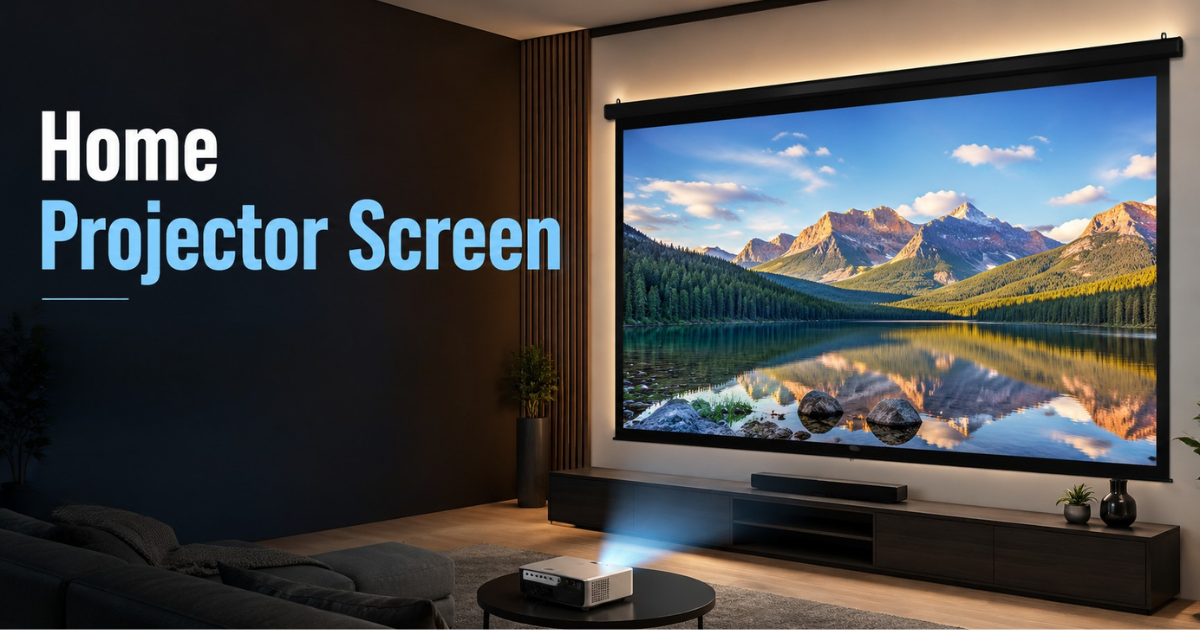
A fixed screen uses an aluminum frame or wooden frame to hold the screen surface perfectly flat, creating an even projection surface with no side tension cords needed.
Fixed frame screens come in various sizes and materials matte white screens work best in dark rooms, while ALR (Ambient Light Rejection) options suit bright spaces.
Ceiling Mounted Pull Down home projector screen
A retractable home projector screen offers more flexibility for rooms without a dedicated media space. Ceiling mounted pull down screens blend into your interior design, tucking into a ceiling recess when not in use.
They require complex installation into the wall structure or ceiling structure, and can roll or pull down by hand or using a motor. For multiuse space setups, the rollup option makes a lot of sense.
Ceiling Mounted Pull Down Screens
These are lightweight, affordable, and require no power. Easy to install anywhere, they are low maintenance and built to last with no motor to worry about.
The only drawback is the need to pull down by hand each time, which can be slightly inconvenient compared to motorized alternatives.
Motorized Non Tensioned Projection Screens
Controlled via remote control, wall switch, or 12V trigger, these screens are convenient and stylish. However, they cost more, need a dedicated power supply, and have more components that may eventually fail.
Tab Tensioned Projection Screens
For best performance, choose a tab tensioned home projector screen. Its tensioning system keeps the surface perfectly tight and flat when extended, and moves away cleanly when rolled in.
Without tensioning, retractable screens suffer from curling and wrinkling, especially noticeable during panning shots making tab tensioned models worth the upgrade.
Portable Projector Screen
Portable projector screens are foldable and easy to move between your living room, study, or backyard for movie nights or quick presentations no tools, no wall damage.
They offer big screen flexibility without permanent setup, making them ideal for families who need adaptable solutions. When done, simply fold and store.
Floor Rising Pull Up Screens
This type sits on the floor and is pulled up manually when needed. Lightweight and simple, it’s great for flexible setups and easy to move from room to room.
Portable Projector Screens
These come with a foldable stand that can be assembled and disassembled without any tools. With a carry bag included, they’re perfect to take anywhere for outdoor events, classrooms, or offices.
Choosing the Right Screen Size Based on Viewing Distance
Once you’ve selected your home projector screen size type, determine the right viewing distance. The price difference between a 100inch and 120inch screen is often minimal, so go as bigger as your wall allows.
A larger image demands a longer viewing distance. In a smaller room, a modest screen may deliver a better experience than an oversized one. Consider human field of vision when planning.
SMPTE (Society of Motion Picture and Television Engineers) recommends a viewing angle of at least 30°, while THX suggests 40° for a more immersive, cinematic feel.
For movie watching: use screen size × 1.3. A 120inch screen works at 156 inches (13 feet), and a 100inch screen at 130 inches (10.8 feet).
For everyday use: use screen size × 1.8. A 120inch screen suits 216 inches (18 feet), while a 100inch screen works at 180 inches (15 feet).
Always verify your projector fills the screen from its intended position using the throw ratio formula: Image width × Throw ratio = Projector’s distance from screen.
For example, a screen 2.6m wide with a projector throw ratio of 1.3 requires placement 3.38m away. Note: this gives image width, not the diagonal.
Understanding projection distance and throw distance is key. Use the Ben Q Projection Distance Calculator for exact numbers suited to your dedicated home cinema or room setup.
Choosing the Right Screen Material
Beyond screen size and aspect ratios, the screen material plays a major role in image quality. The right material affects color, gain, sound, and your overall viewing environment.
Color
A white screen is the most common home projector screen color and best for home projector screen. Grey and black variants exist for brightly lit rooms where ambient light impacts image clarity.
The ALR (ambient light rejection) screen surface and matte white or matte grey screen coating help manage reflections and suit different viewing environments effectively.
Gain
A gain of 1.0 means the screen reflects light equally. Higher numbers make the image brighter from straight ahead but reduce quality at wider viewing angles and risk hot spotting.
Higher gain screens suit brighter rooms but cause glare and hot spotting where the middle of screen appears brighter than the edges. For most home setups, even light distribution and no gain is better.
A special coating can boost brightness and enhance HDR effects, but a gain below 1.0 helps in darker room environments by improving blacks and optimizing results when projector light output is sufficient.
Acoustic Screens
Most home projector screen use fabric like materials that reflect light well but block sound, forcing speakers to sit beside or away from screen.
Acoustic home projector screen use a specially woven mesh that allows sound waves to pass through while maintaining image quality. This lets you place speakers behind screen, maximizing screen size even in smaller rooms.
Because acoustic materials reflect less light, they suit custom home theaters and darker environments best. Use perforated material when the screen is in front of your center speaker the holes allow acoustic output to pass, keeping soundtracks sounding great.
Top Projector Screen Brands for Home and Office Use
Many home projector screen brands serve diverse sizes and specifications needs: Sav sol, Dev Lite, Vilro, Royalty, XTECTORVIEW, Moiz, RK Tech, TONZO, and Ocean Info tech.
Options range from compact50inch models for small rooms to large screens up to 250inch for auditoriums and outdoor events. Choose between 16:9 for widescreen or 4:3 for presentations and educational purposes.
The Sav sol 92inch4K portable projector screen is top rated for home theater use. The Dev Lite 100inchEyelet Screen is a favorite for classrooms and offices, offering reliable varying needs performance.
Foldable screens from Royalty and Vilro excel in portability and antic ease design. For a premium setup, the TONZO 120inchfixedframe screens deliver a professional viewing experience with velvet border and matte white finish.
Budget friendly options from Dev Lite, Moiz, and RK Tech match both viewing requirements and budget preferences, making a quality home projector screen accessible at every price range.
Final Thoughts
Selecting the right home projector screen involves balancing multiple factors but the right choice delivers years of immersive, high quality viewing. Explore Ben Q Knowledge Center for deeper projection tech tips and insights.
Optimize your home projector screen compatibility by considering color accuracy, performance, and dedicated home theater requirements. Keep room dark to fully optimize results and enjoy peak viewing experience.
FAQs
Home Projector screen
What is the best projector screen size for a home theater?
The ideal Home projector screen size depends on room dimensions and viewing distance. Larger screens provide a cinematic feel, but the size should match your projector capability and available space.
Which projector screen material is best for home use?
Matte white screens are suitable for most homes, while ALR screens are better for rooms with ambient lighting. Acoustic screens are ideal for dedicated home theaters.
Are motorized projector screens better than manual screens?
Motorized screens offer more convenience with remote operation, while manual screens are affordable, reliable, and require less maintenance.
Can I use a projector screen outdoors?
Yes, portable projector screens are designed for outdoor movie nights, events, and temporary setups. Choose a durable and foldable model for easy transportation.
What is the difference between a projector screen and a wall projection?
A projector screen provides better brightness, contrast, and color accuracy compared to a painted wall. Walls may reduce image quality due to texture and uneven surfaces.
